Choose the testing outcome
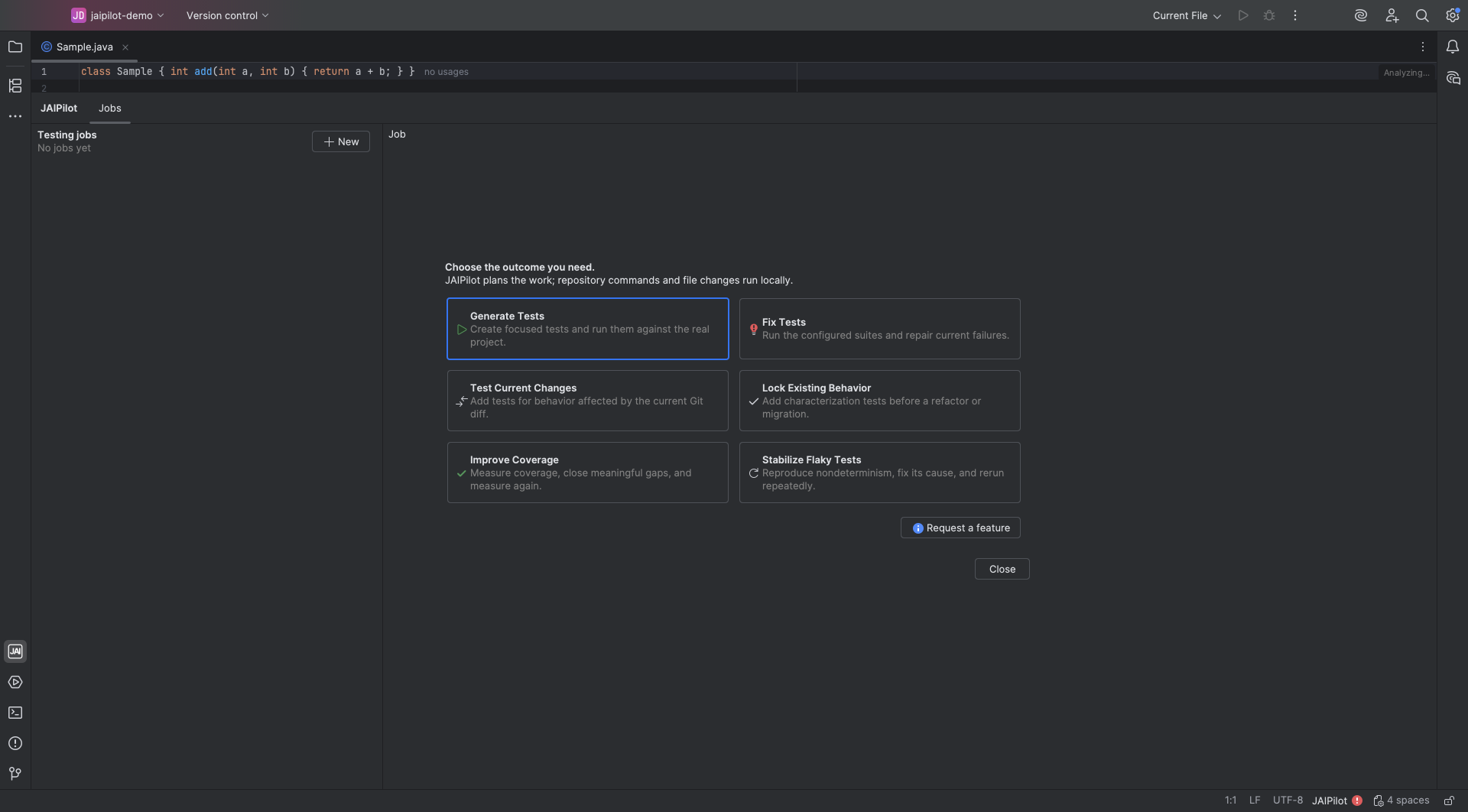
Start one of six focused workflows from Jobs or from the selected Java file in IntelliJ IDEA.
 Open full size ↗
Optimized for outcomes. Choose the Java testing result you need. JAIPilot plans, writes, repairs, and verifies tests in your project.
5× faster than testing with a regular coding agent.
Line coverage target JAIPilot adds meaningful tests for the selected code and checks the result against your project's coverage report.
JAIPilot runs file changes, builds, tests, and available coverage reports locally in your project through IntelliJ IDEA or the CLI.
Right-click a class, multiple classes, or a directory to work on that selection, or use Jobs → New for the entire repository. Then follow the local work and review the measured result in IntelliJ IDEA.
Generate focused tests for a Java class, package, or current change, then run the project build and test suite locally.
Reproduce the failure, make the smallest useful change, and rerun the relevant tests before reporting the result.
Target at least 90% line coverage for the selected code, add useful tests, and report the measured result when the project produces a coverage report.
WHY JAIPILOT
JAIPilot combines Anthropic Claude frontier models optimized for Java testing with IntelliJ-native context, then runs Maven or Gradle and the relevant tests locally to verify the result.
5× faster than testing with a regular coding agent.
Choose the testing outcome you need and start. JAIPilot handles the prompt, tools, and verification workflow for you.
Generate tests, improve coverage, fix failing tests, stabilize flaky tests, test current changes, or lock existing behavior. Each outcome guides how JAIPilot plans, writes, repairs, and verifies your tests.
JAIPilot uses your selected classes or directories together with project information available through IntelliJ, including the repository structure and build setup.
Your selection defines the scope and each testing workflow defines the work. Git repositories also unlock change review, undo, and redo in Jobs.
Start one of six focused workflows from Jobs or from the selected Java file in IntelliJ IDEA.
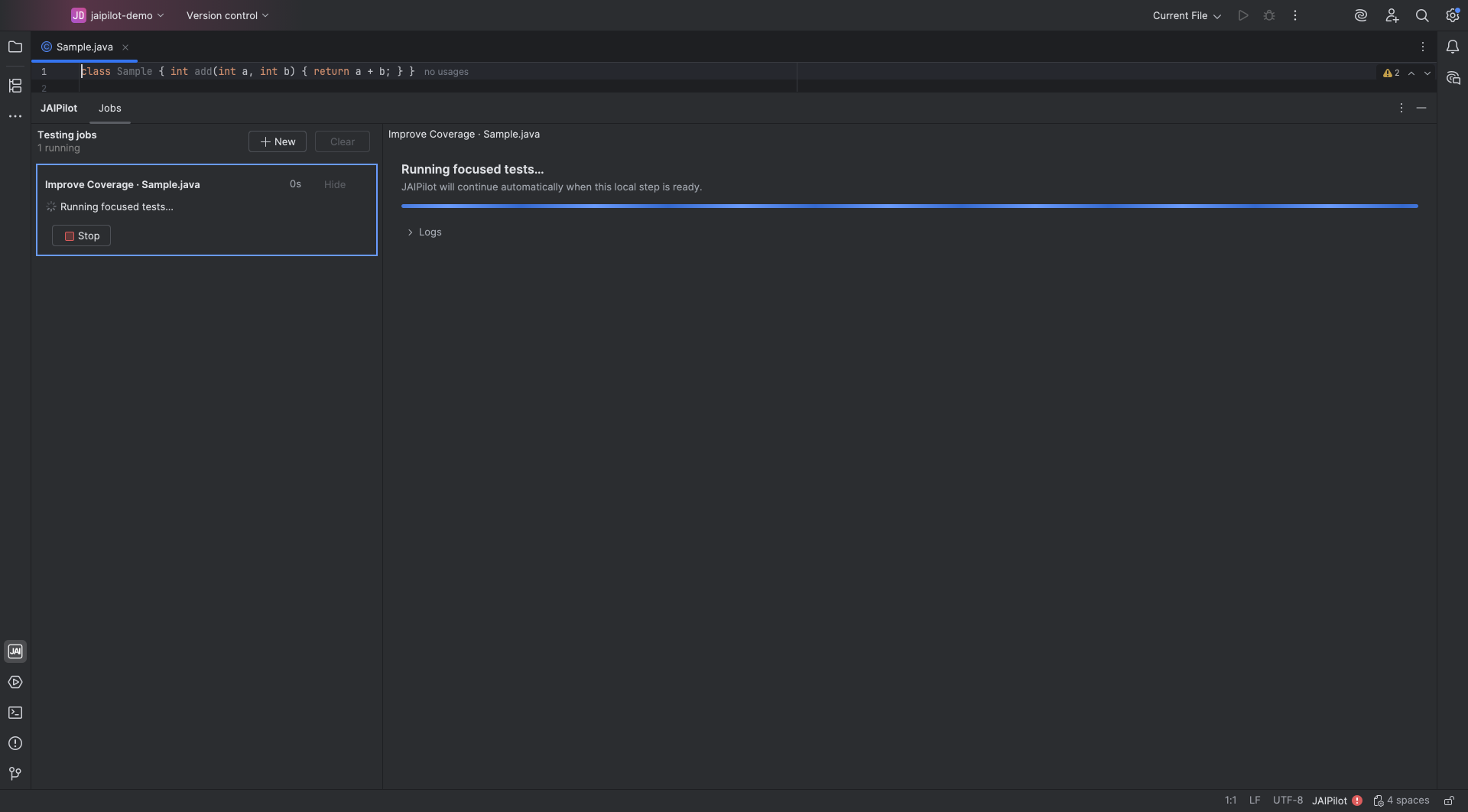
Open full size ↗JAIPilot plans the work through its service while file edits, Maven or Gradle commands, tests, and coverage run locally.
 Open full size ↗
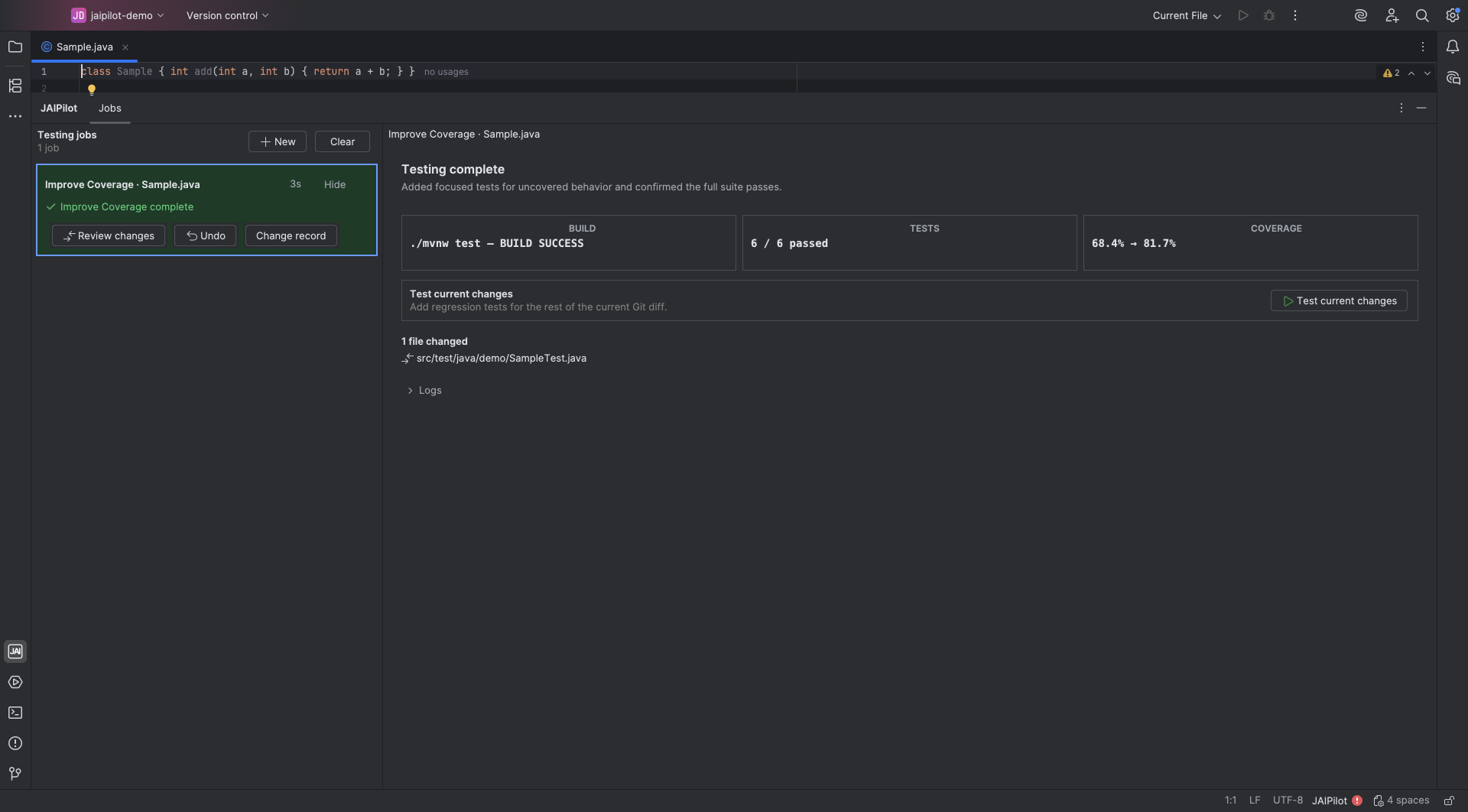
Review changed files, the exact build command, test totals, and measured coverage when a report exists.
 Open full size ↗
 Choose the testing workflow that matches the Java change you need.
Check the build command, test totals, changed files, and measured coverage when a report exists.
JAIPILOT PRO
$29 USD / month
2,000 testing credits included each month.
JAIPILOT MAX
$200 USD / month
20,000 testing credits included each month.
Start free with 300 credits for up to 14 days. No card required.
Optional credit top-ups carry forward.
Builds, tests, and file changes run in your project.
View PricingJAIPilot is a Java testing agent available as an IntelliJ IDEA plugin and a CLI. Choose an outcome to create, repair, stabilize, or measure tests locally in your project.
Yes. The JAIPilot CLI offers the same six testing outcomes for a whole repository, paths, classes, or selected lines. It uses your existing JAIPilot account, subscription, and credits. Visit the CLI page to install it on macOS, Linux, or Windows.
Generate tests, lock existing behavior, fix failing tests, stabilize flaky tests, test current changes, and improve coverage.
JAIPilot uses Anthropic Claude frontier models with workflows and project context optimized for Java testing. Builds, tests, coverage, and file changes run locally in your project through IntelliJ IDEA or the CLI.
File changes, Maven or Gradle commands, tests, and coverage run on your computer inside the project selected in IntelliJ IDEA or the CLI.
The CLI requires a Git repository. IntelliJ workflows can run without Git; a Git repository enables change review, undo, and redo in the plugin.
Yes. Pro includes 2,000 credits each month for $29 USD; Max includes 20,000 for $200 USD. You can start with 300 free credits for up to 14 days without a card, and optional top-ups carry forward.
Build the test suite your Java codebase needs.
Install JAIPilot